
Fuel station self-service with Gas Commander
Zencillo Gas Commander self-service lets customers purchase or identify themselves, receive authorization and refuel.
Choose one island, self-service hours, a mixed operation or a fully unattended setup. Equipment, payments and features depend on integrations available in your country.
Service stations in Latin America use Zencillo technology. General platform experience, not a count of self-service installations.
See UN20 self-service at a real fuel station.
See a customer use the terminal installed at the dispenser and refuel with Zencillo Gas Commander.
- Terminal installed on the dispenser side.
- Purchase and payment through enabled integrations.
- The customer refuels.
This demonstration shows the UN20 terminal option. Equipment, payment methods and available features are confirmed for each country and provider integration.
Change the service experience. Keep operations connected.
Organize your service
Combine areas, options and schedules according to your station's customers and traffic.
Offer more options
Immediate payment, credit and prepaid balances, according to enabled functions.
Control each dispensing operation
Connect authorization, delivered fuel and transaction documents.
Stay connected with customers
Loyalty identification and features connected to your program.
How does fuel self-service work?
How customers purchase and refuel: from selection to the receipt.
Select
Fuel and amount or volume. At a kiosk or in the app, also the dispenser side.
Identify
Final consumer, invoice details or account identification.
Pay or validate
Payment confirmation or validation of credit limit, balance and rules.
Refuel
Gas Commander authorizes the dispenser side. The preset limits dispensing.
Complete
The actual fuel delivered is recorded and the corresponding receipt is generated.
Credit or prepaid identification can replace immediate payment. Store and mobile authorization options involve an operator. The preset limits the authorized amount or volume.
Request a demonstrationYou decide how much self-service you need.
Start in part of the station or design an unattended operation from the outset. More self-service does not require removing all on-site assistance.
Part of the station
One dispenser side, one dispenser or one island. Keep attendant service elsewhere.
Mixed or scheduled
Combine channels or define when attendants serve and when self-service is available.
The whole station, with assistance
Customers refuel; staff can provide guidance, take payment or answer questions.
Without on-site staff
Customers purchase or identify themselves and refuel. Management and assistance have assigned responsibilities.
A dispenser side is the side used to serve a vehicle. A dispenser may have two enabled sides.
Self-service options for your station
Choose where customers purchase and how dispensing is authorized. Availability depends on processor and provider integrations in each country.
Showing 6 of 6 options. You can combine options for your operation.
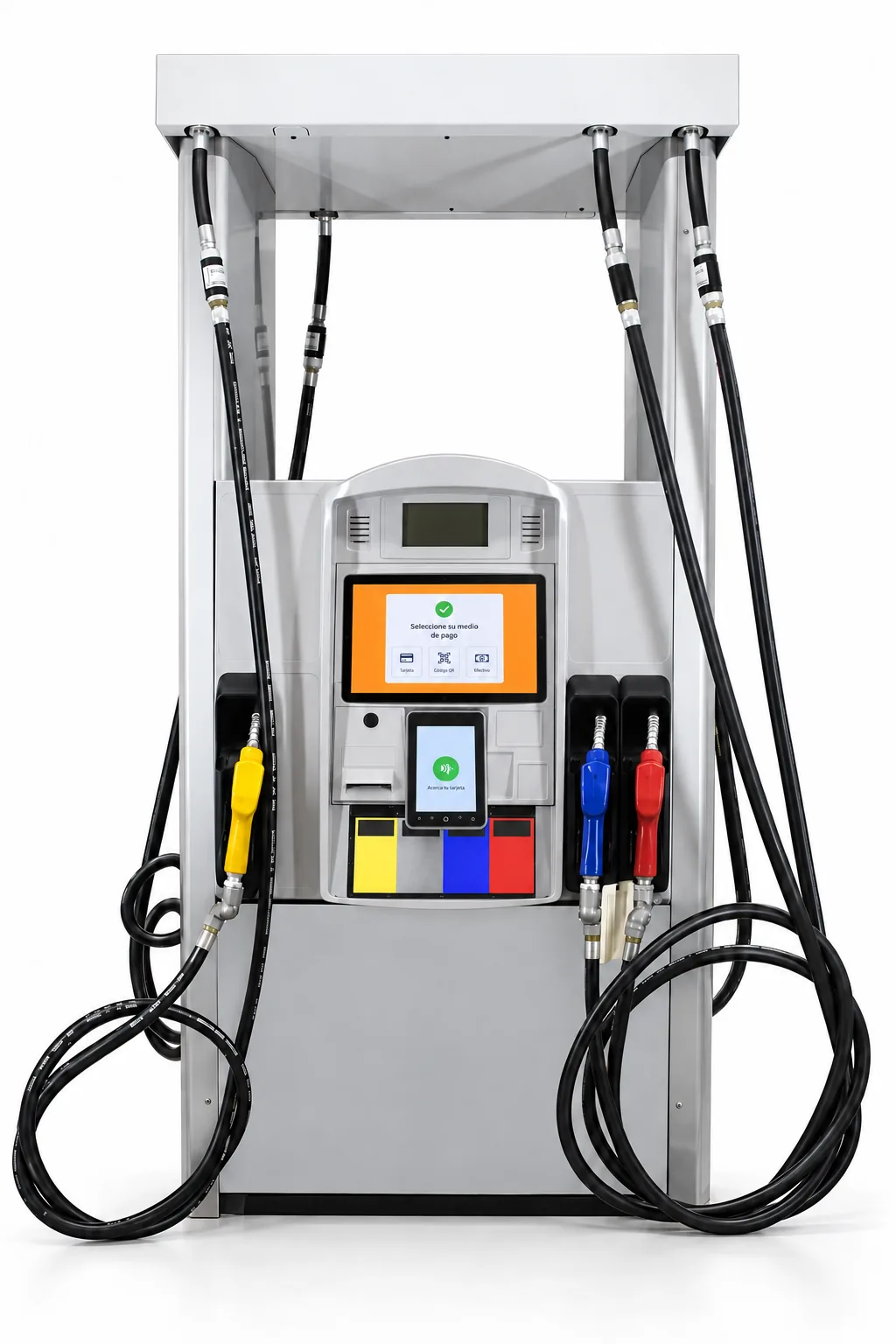
Terminal at the dispenser
Purchase and payment on a compact device.The customer selects and pays at the terminal; Gas Commander authorizes dispensing and the customer refuels.
Watch this option in action →What to consider
The terminal and its features depend on the processor integration in each country. Example: NEXGO UN20 in Colombia with Credibanco or Redeban; it needs an additional printer, does not play videos, and updates are coordinated through the processor. These conditions do not apply automatically to other models.
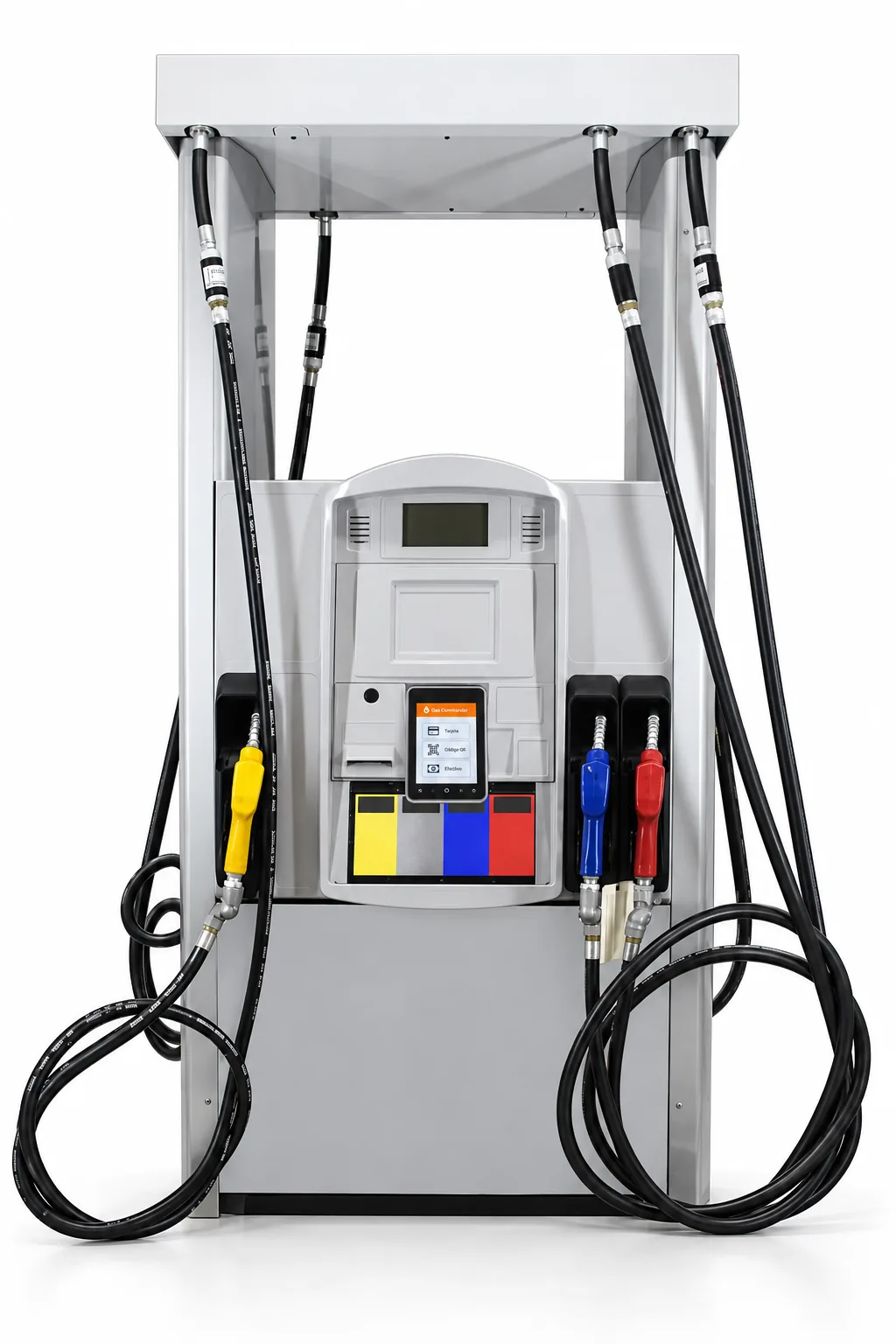
Tablet + payment terminal
A larger screen to guide purchases.The tablet runs Gas Commander and sends the payment request to the integrated terminal. It can provide voice guidance, loyalty features and videos during dispensing.
What to consider
Credit and prepaid features depend on components and configuration. The tablet application updates directly; terminal activation and payment software still depend on its provider.
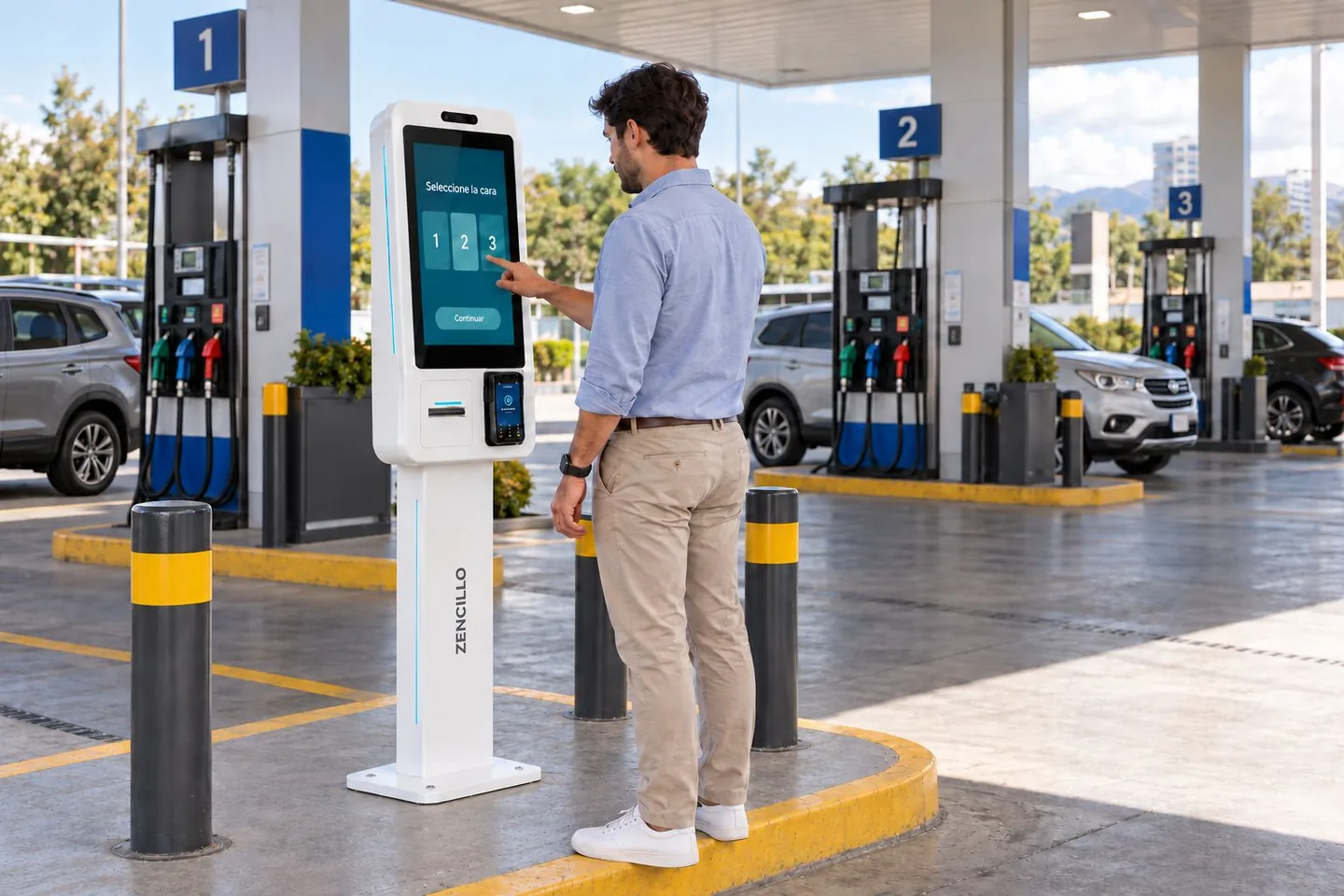
Self-service kiosk
One purchasing point for several dispenser sides.The customer selects a dispenser side, purchases fuel and goes to the authorized dispenser to refuel.
What to consider
Clear signage is required. This does not imply an automatic cash acceptor.
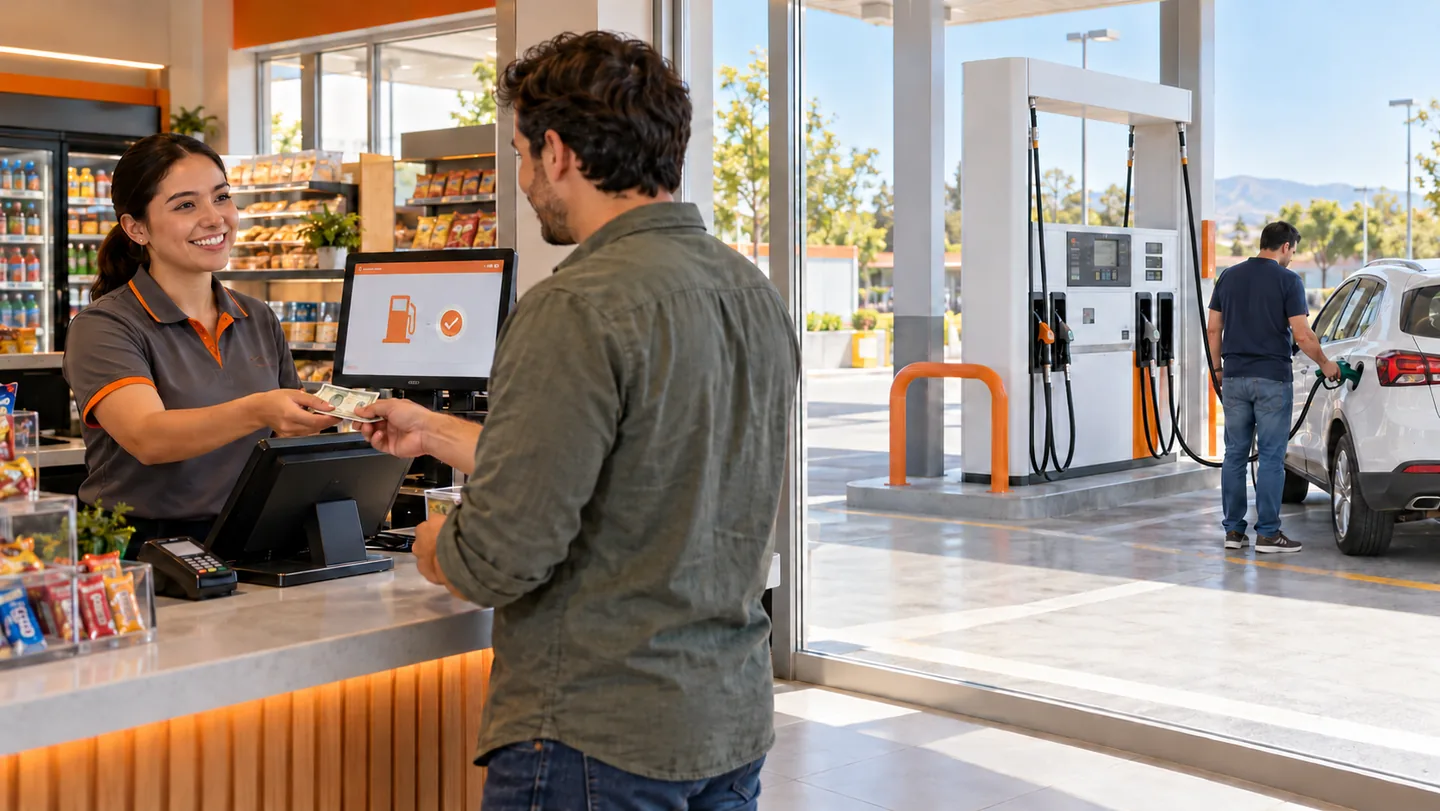
Payment at the store
The cashier authorizes. The customer refuels.The cashier receives payment, selects the dispenser side and authorizes dispensing. This can bring the customer closer to the store's products.
What to consider
A cashier must be present. Cash can be accepted; this alone is not an unattended operation.
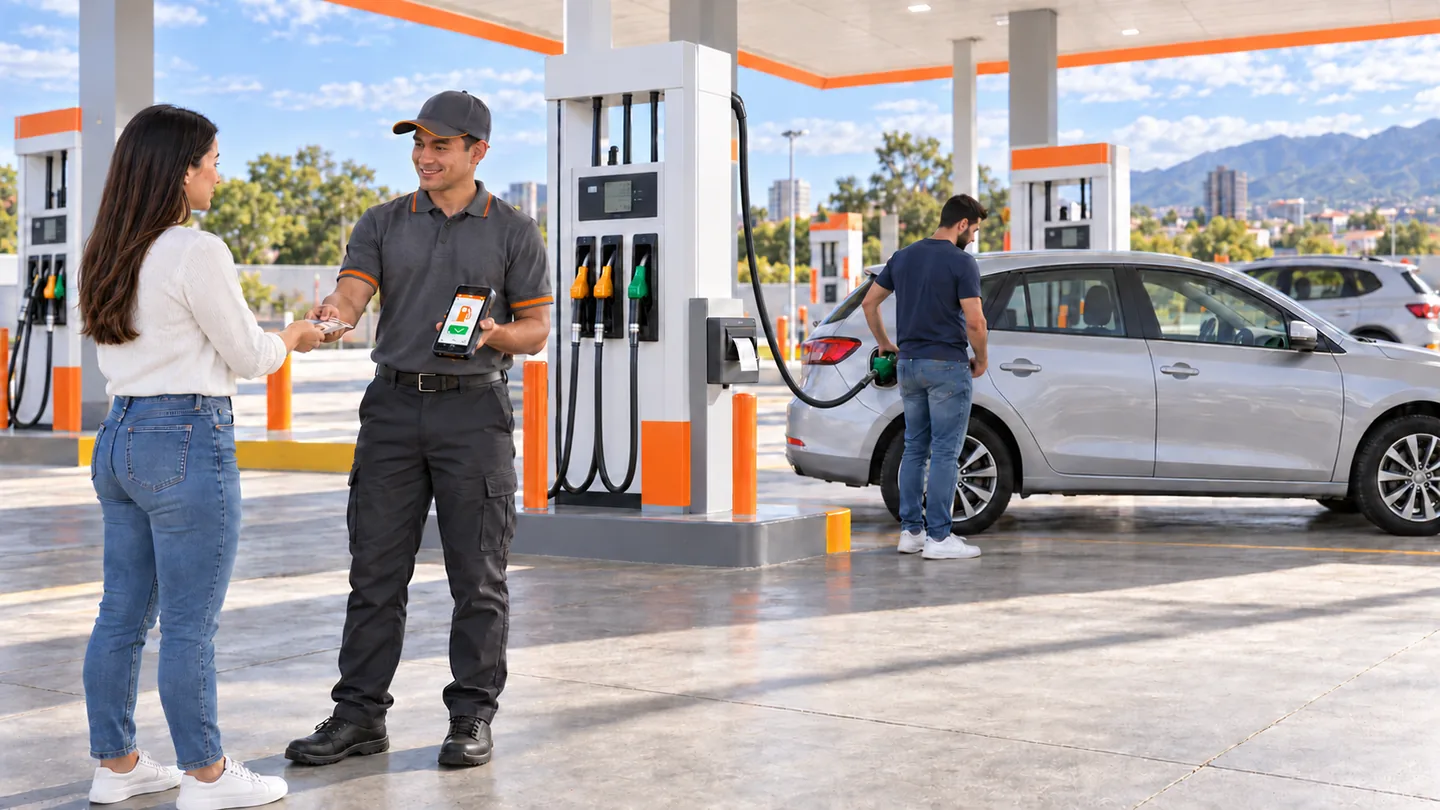
Mobile authorization
An operator takes payment and authorizes on the move.The attendant takes payment and authorizes through a handheld terminal. The customer refuels.
What to consider
An on-site operator is required. Card payment needs an enabled terminal; service capacity depends on demand and routes.
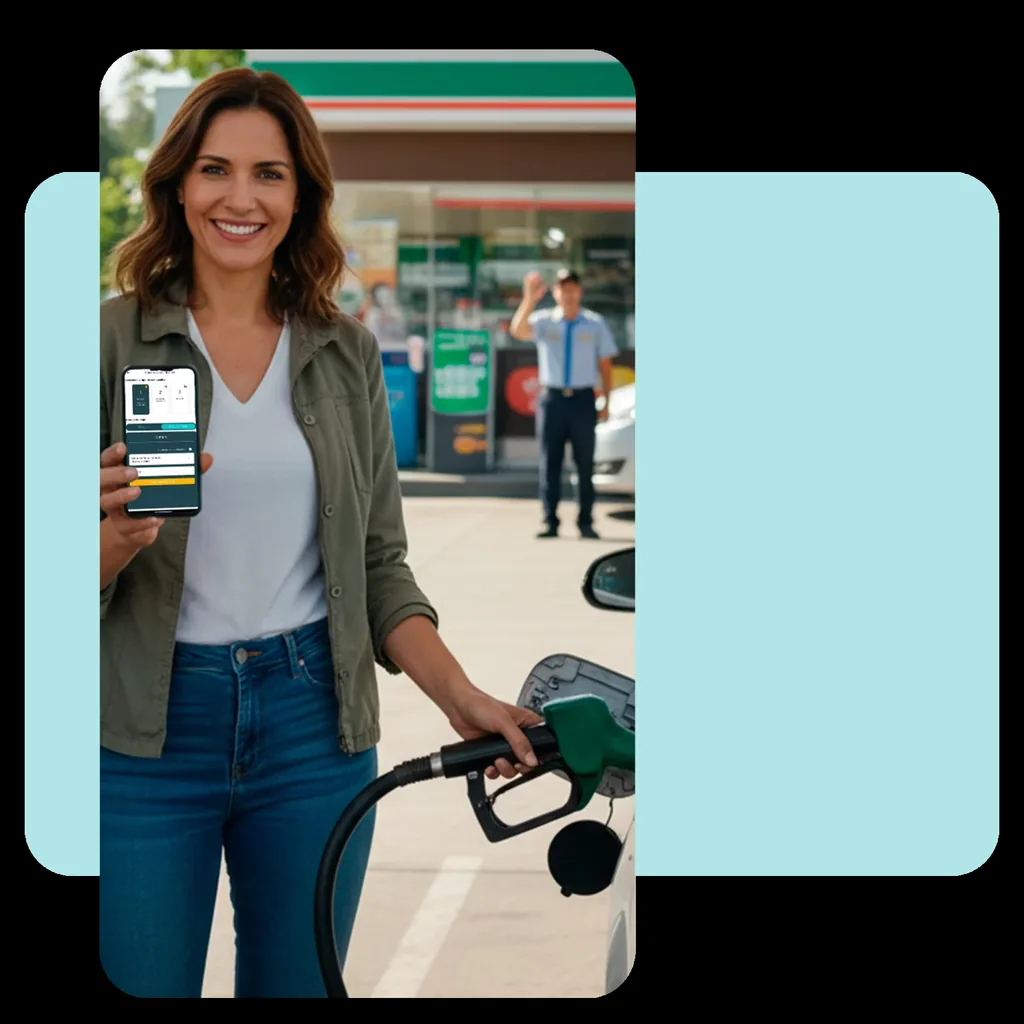
Zencillo Revolution
Purchase or authorization from a mobile phone.The customer can purchase at the station and refuel in an enabled self-service setup. A fleet can also authorize consumption remotely.
What to consider
Electronic purchases require a contracted payment gateway. Remote authorization alone is not payment or self-dispensing; at an attended station, an attendant may dispense the fuel.
Illustrative images. Equipment, payment methods and components are validated for each country and integration.
| Option | Purchase and service |
|---|---|
| Terminal at the dispenser | Purchase and payment on a compact device. |
| Tablet + payment terminal | A larger screen to guide purchases. |
| Self-service kiosk | One purchasing point for several dispenser sides. |
| Payment at the store | The cashier authorizes. The customer refuels. |
| Mobile authorization | An operator takes payment and authorizes on the move. |
| Zencillo Revolution | Purchase or authorization from a mobile phone. |
Self-service without on-site staff
During defined hours, customers purchase or identify themselves, refuel and receive their receipt. Management and assistance personnel can be elsewhere.
Purchase and authorization
Methods that do not require a cashier or attendant, clear side selection and validation before dispensing.
Receipts and unused balances
A channel usable without a cashier to obtain receipts and manage differences.
Assistance and management
Defined responsibilities and procedures for incidents, maintenance and communication failures.
No on-site staff does not mean no responsible personnel. Purchasing methods, assistance, contingencies and local requirements are defined for the operation. An automatic cash acceptor is not included by default.
Self-service for your different customer types.
Credit and fleets
NFC or iButton with enabled readers. Validate limits, products and restrictions before authorization. Delivery notes and later invoicing when applicable.
Prepaid balances
Identification and use of the available balance through the configured flow. The system records the transaction and updates the corresponding balance.
Loyalty
Registered customers identify themselves to earn points under their program. Tax and loyalty identification may differ.
Invoicing and fuel paid for but not dispensed
Customers can also request an invoice.
Final-consumer or personalized invoices according to enabled local tax functions. Printing can be at the dispenser, store or a terminal with a printer.
For example, in Colombia identification or NIT lookup and forecourt invoicing are available. Credit customers may use delivery notes and later grouped invoicing.
What if less fuel is delivered than was paid for?
Illustrative example in monetary units. Apply your local currency; this is not a real transaction.
The difference is recorded and the enabled option applies: a prepaid balance or claim ticket. The procedure is disclosed before payment.
A ticket is not an automatic card refund. In an unattended operation, the option must work without visiting a cashier, with defined assistance.
The experience continues after dispensing.
Promotions for your operation
Incentives by customer, plate, island, dispenser side, dates or hours, according to available functions.
Tablet advertising
Videos during dispensing can promote store products or third-party campaigns. Revenue depends on your commercial agreements.
Store and administration
Store authorization and POS Mobile connection according to scope. Dispensing, shifts, settlement sheets, invoicing and receivables remain connected with Gas Commander.
Equipment, compatibility and implementation
We first assess dispenser compatibility, communication and preset operation. Then we define components and adjustments for your chosen operating model.
Assess
Station, dispensers, sides, customers and payment methods.
Define
Option, terminals, printer, readers and assistance.
Prepare and test
Adjustments, network, configuration, purchasing, dispensing and receipts.
Activate
Signage, customer guidance and incident management.
The solution can be implemented in different countries according to enabled processor and provider integrations. Terminals, payment methods and features are defined for each market. Equipment, installation and third-party services are quoted by scope. Revolution requires a contracted gateway for electronic purchases.
Colombia: terminals integrated with Credibanco and Redeban, including NEXGO UN20 depending on the option. Dominican Republic: terminals through the Cardnet integration.
For other countries, we review the equipment and services enabled with each provider. These examples do not limit geographic scope or imply that all terminals have the same functions.
Fuel self-service frequently asked questions
Can I start with one dispenser side or dispenser?
Yes. Enable one dispenser side, dispenser or island, or choose a broader scope from the start. A pilot is not mandatory.
Can a station operate without on-site staff?
Yes, with an unattended setup covering purchase or identification, authorization, receipts, unused balances and assistance. Responsibilities and procedures must be defined, and applicable local requirements and technical conditions assessed.
Do I need to replace my dispensers?
You can use existing dispensers when technically compatible. We first assess communication with Gas Commander and the preset that limits the authorized value or volume. Some units may need adjustments; purchasing new dispensers is not assumed.
Can I combine self-service and attendant service?
Yes, by area, option or configured operating hours.
What is the difference between a terminal and a tablet?
An integrated terminal supports selection and payment according to processor-enabled functions. A tablet adds a larger screen and additional features, while the terminal still processes payment. Equipment and updates depend on the provider in each country.
Can the customer pay cash?
In the options described, a cashier or operator accepts cash. An automatic banknote acceptor is not included by default.
What happens to fuel paid for but not dispensed?
The difference is recorded and the disclosed option applies, such as a prepaid balance or claim ticket. A ticket does not guarantee an automatic card refund. Without on-site staff, the procedure must work without visiting a cashier, with defined assistance.
Can the customer request a personalized invoice?
Yes, according to the invoicing and receipt functions enabled in the country. Printing depends on the installed components.
Can credit and prepaid customers refuel?
Yes, subject to identification, readers, credit limit or balance and operating configuration.
Can customers earn points without an attendant recording them?
Already registered customers can identify themselves in the enabled flow and earn points according to their loyalty program.
Does it work without internet?
The local network and internet serve different purposes. Payments, apps and external services may need internet. Outage procedures depend on the option and integration; universal offline operation is not promised.
What investment is required?
It depends on equipment, adjustments, installation and services. Existing customers should confirm contractually whether activation requires a higher monthly fee; this does not imply free equipment or installation.
In which countries can it be implemented?
In different countries, depending on enabled processor or provider integrations and installation conditions. Colombia and the Dominican Republic are examples; equipment, payment methods and scope are confirmed for each project.
Let's define the self-service setup you need.
Tell us where you operate and how you want to serve customers. Let's review the scope, option and components to get started.
Enable one dispenser side or plan a station without on-site staff from the outset.
Back to the optionsLet's discuss your project on WhatsApp.
Talk to our team about self-service and integrations available for your station.
Talk on WhatsApp ↗WhatsApp opens with your interest in self-service prepared. You decide when to send the message.