
Convenience store software integrated with fuel sales
Sell products from the forecourt. Sell fuel from your store. Manage everything together.
Connect fuel operations and convenience store products with POS Mobile and Gas Commander. Let attendants sell items from their Smart POS, automatically send orders to the store and support preparation and delivery.
Manage fuel sales from the store point of sale too. Operate one store or hundreds across a network with commercial information centralized through Zencillo Management.
One service station. Two points of sale. One connected operation.
Fuel and store operations traditionally may work separately. Gas Commander and POS Mobile connect both service points so customers can buy products and fuel according to their visit.
More sales opportunities
Attendants offer products during forecourt service without requiring drivers to enter the store to start an order.
Greater driver convenience
Products are prepared in the store and delivered according to the establishment’s organization.
Connected commercial operations
Product and fuel sales connect through Zencillo POS Mobile and Gas Commander.
Centralized administration
One or multiple stores are managed and analyzed through Zencillo Management.
Turn every fuel delivery into a store sales opportunity
Attendants sell store products without leaving their service point.
Attendants select available items and register the sale on the Smart POS. Information is sent to the store, where a preparation ticket is generated. Customers collect products at the window or station-defined delivery point.
- 01
Customer arrival
The driver arrives at the forecourt and requests fuel.
- 02
Offer store products
The attendant offers drinks, coffee, packaged food, lubricants or other enabled items.
- 03
Register on the Smart POS
The attendant selects items on the same Smart POS used for forecourt operations.
- 04
Send the store order
The recorded sale generates information for store preparation.
- 05
Print a preparation ticket
A store ticket identifies requested products and organizes preparation and delivery.
- 06
Deliver to the driver
Staff prepare products and deliver them according to the station’s procedure.
Vehicle at forecourt → Attendant’s Smart POS → Store order → Store ticket → Preparation → Driver delivery
Your store can start selling where the driver fuels up.
Your store can sell fuel too
POS Mobile and Gas Commander support commercial fuel operations from the store point of sale. Authorized staff use integrated processes. Delivery authorization and execution respect Gas Commander controls and station configuration.
- Fuel operations from the store
- Available Gas Commander features
- Transaction management
- Compatible payment methods
- Electronic invoicing by country and configuration
- Administrative consolidation
- Customer in store
- POS Mobile
- Gas Commander
- Fuel operation controls
- Transaction record
Commercial operations need not be limited to the dispenser’s location.
Dispensing depends on compatible permissions, protocols and controls. Invoicing and payments follow configuration and country requirements; a single invoice or payment for fuel and store products is not assumed.
Gas Commander and POS Mobile: commercial forecourt and store integration

Gas Commander
Fuel automation: dispensers, shifts, deliveries and enabled features.
Explore the solution →
POS Mobile
Commercial operations from Smart POS and store product sales.
Explore the solution →
Management
Centralized items, inventory, customers, sales, receivables and reporting.
Explore the solution →
Zencillo Viviseven
Artificial intelligence for queries and authorized processes through natural language.
Explore the solution →They work within the Zencillo ecosystem. Configuration depends on contracted scope; this does not imply four separate purchases or automatically enable every feature.
Manage one store or a whole chain centrally
POS Mobile serves individual stores and companies with multiple establishments. Management consolidates commercial information, manages items and inventory, configures sales processes and provides company reporting.
Zencillo ManagementCentralized administration and reporting- Items, price lists, promotions and combos
- Sales, customers and receivables
- Inventory and movement control
- Administration by establishment
- Consolidated reports
- Store and station integration
Centralized administration does not merge physical stock: each store or warehouse retains its inventory according to enabled configuration.
Control store products with integrated information
Manage items, stock, prices and movements through POS Mobile and Management. Sales information supports tracking by establishment and replenishment decisions.
- Catalog and classification
- Inventory and merchandise movements
- Price lists, promotions and combos
- Sales reporting
- Information by establishment
- Administrative queries
Stock changes depend on configured items, warehouses and processes. Synchronization rules are reviewed when defining operations; identical behavior across establishments is not assumed.
Commercial operations in your staff’s hands
POS Mobile uses Android Smart POS devices at the service point. Attendants handle enabled fuel operations and store sales without relying solely on a fixed checkout.
- Android device and sales interface
- Station operation integration
- Product sales and mobility
- Compatible payments
- Electronic invoicing by configuration
- Barcodes where enabled
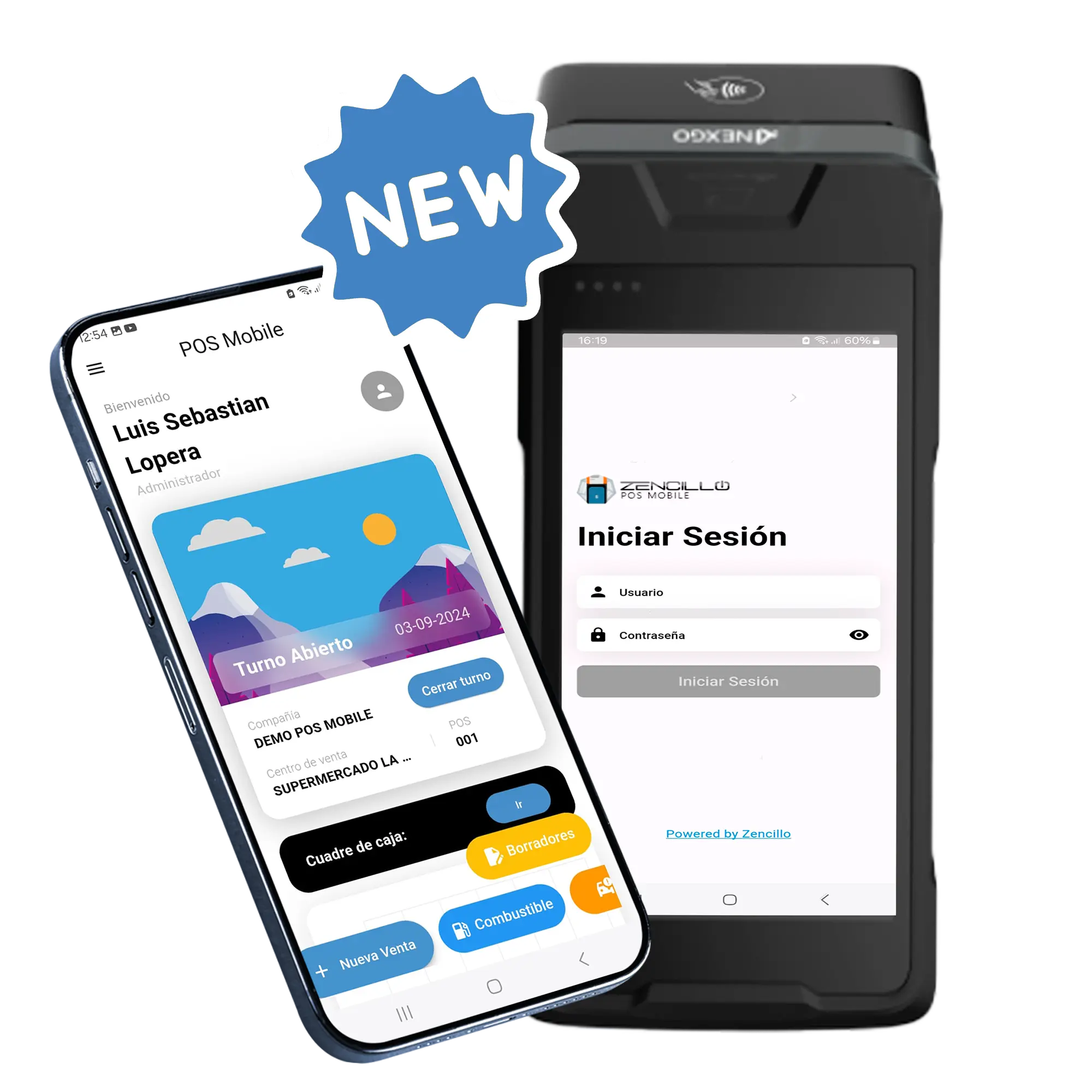
Sales, payments and invoicing connected to your operation
POS Mobile offers invoicing and payments according to each country’s requirements and integrations. Gas Commander supports fuel and store operations within Zencillo.
- Sales registration
- Electronic invoicing
- Payments by availability
- Customers and administrative queries
- Credit sales where applicable
- Receivables
Payment methods and documents are reviewed by country and configuration; universal processor coverage or a single invoice is not promised.
Query stores and stations through artificial intelligence
Integrated artificial intelligenceZencillo Viviseven
Through natural language and enabled channels such as WhatsApp, authorized users query sales, receivables, inventory and establishment processes. Zencillo Viviseven provides consolidated information without manually navigating modules.
Each query and action depends on enabled services, data, features and permissions.
Explore Zencillo Viviseven →Zencillo VivisevenIllustrative conversation · No real data connection
A solution that grows with your business
For an individual station
- Fuel and store integration
- Products from the forecourt
- Smart POS service
- Inventory and sales
- Customer management
- Operational reporting
For a station chain
- Multiple stores and consolidated data
- Visibility by establishment
- Items, prices and commercial control
- Station and store integration
- Consolidated queries
- Integrated artificial intelligence
From one store to a station network: one connected operational vision.
How a connected fuel and store sale works
Illustrative scenario · No amounts or real transactions
The customer requests fuel and products
Fuel, a coffee, a drink and a packaged product. The attendant records store items on the Smart POS and sends the order to the store.
- Coffee
- Drink
- Packaged product
The store prepares and delivers
Staff receive the ticket, prepare items and deliver the order at the designated point.
Frequently asked questions
What is Zencillo POS Mobile for service stations?
A mobile commercial solution integrated with Gas Commander and Management to connect store product sales, fuel operations and establishment administration.
Can I sell store products from the forecourt?
Yes. Attendants register store products on the Smart POS and send the order for preparation and delivery according to the implemented configuration.
What happens when a store sale is made from the forecourt?
The system records the operation and generates order information. In the described flow, a ticket is printed in the store with the requested items.
Can I sell fuel from the store?
Yes. Gas Commander integration supports commercial fuel operations from the store point of sale, respecting the corresponding controls.
Do I need Gas Commander to integrate fuel and store sales?
This specialized integration uses Gas Commander with POS Mobile. Alternatives involving other systems must be technically assessed and confirmed.
Can I manage multiple stores?
Yes. Zencillo Management supports administration and queries across multiple establishments according to company configuration.
Can stores have separate inventory?
Inventory can be organized by stores, warehouses and sales centers according to enabled functions. Centralized management does not imply one physical inventory.
Can I manage promotions and combos?
Zencillo Management provides price lists, promotions and combos according to the implemented scope.
How do POS Mobile and Gas Commander connect?
They exchange commercial and operational information through Zencillo ecosystem integrations. Connection configuration, dispatch permissions and enabled processes are reviewed for each station.
Can I use Zencillo Viviseven?
Yes, when features are enabled. Zencillo Viviseven supports queries and authorized processes through natural language, respecting permissions.
Does the solution work for a single station?
Yes. The proposal covers individual stations and chains with multiple stores.
Do fuel and store products generate a single invoice?
Invoicing depends on implemented features and country fiscal requirements. A single invoice or payment requires technical and regulatory validation.
Connect fuel operations with your convenience store
Discover how POS Mobile and Gas Commander help sell products from the forecourt, manage fuel from the store and administer establishments with centralized information. For individual stations or chains, we can show you how to connect operations.